
Yuval Avidani
Author
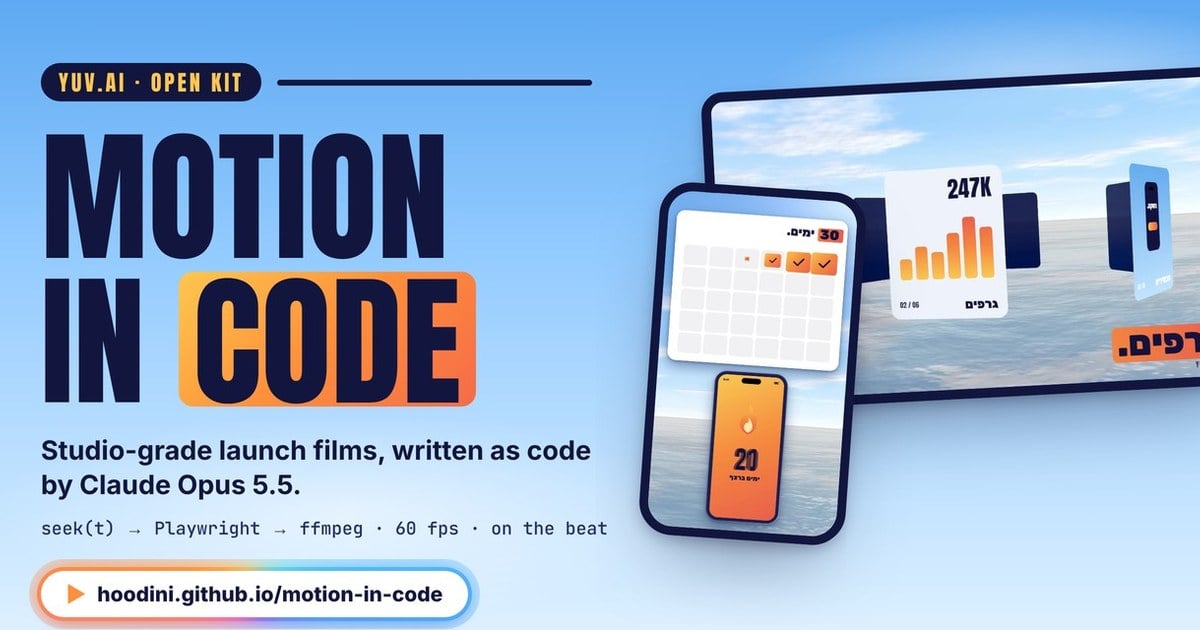
Motion in code is a method where a coding agent like Claude Code writes software that draws a video, frame by frame, for anyone who wants a studio-level launch video without After Effects and without a motion designer. At the end of September, a creator named zero (@twoclipping on X) posted a UI video with the line "this entire video is code, zero After Effects," and it hit 978K views. Since then it's been the hottest topic in the coding-agent world.
I sat with this for weeks, broke the method down to its crumbs, and built on it a full project in Hebrew: the method, a catalog of 24 elements, and a dictionary of every term. In this article I'm bringing you the clearest and coolest parts from it, and every demo here isn't a video — it's code running right now in our browser. You can pause it, drag the timeline, and play with the numbers.
The situation: a launch video is still a bottleneck
We all know this moment. The product is ready, the page is ready, and now you need a "short launch video." The usual options are hiring a motion designer (someone who animates graphics), learning After Effects (Adobe's software where most motion videos in the world get made), or settling for a template that looks like every other template. Every one of these routes costs us money, time, or our uniqueness.
Video models like Veo or Sora are a different approach: they generate pixels directly, and they're excellent for realistic footage. But when you need exact text, the right brand color, and a button that stays the same button throughout the whole video, guessing pixels struggles. A language model doesn't guess pixels — it writes code, and code is precise exactly where it matters.
The obstacle: a language model doesn't "see" time
Video is really just a stack of images. A video at 60 fps (frames per second, how many images swap each second) is 60 still images for every second you watch, like a flipbook. A language model doesn't know how to draw one such image, but it does know how to write a webpage that draws it.
Here's where the real problem starts. A regular browser animation runs on the computer's clock: if the computer stutters for a split second, the animation skips ahead. In live viewing nobody notices, but when you're capturing every frame into a video file, every one of those skips becomes a stutter. You need a way to capture the movie without any clock at all.
The trick: the movie is a function of time
Let's break it down. The heart of the whole method is a single function called seek(t). A function is a piece of code that takes an input and returns a result, and here the input is one number: time in seconds. You give it "2.5," and it draws exactly the page for second 2.5, without remembering what came before and without waiting on any clock. Think of it like a flipbook you can open to any page and always get the same drawing.
The demo below is a small launch video for an imaginary fitness app called "Pulse," the same example that runs through the whole project. The whole thing is one function. Drag the timeline to any point and watch the numbers seek computes below, in real time:
Notice what happens when you drag: every frame appears instantly, without "playing" all the frames before it. That's exactly how you capture the video. A tool called Playwright (a browser controlled from code) calls seek with 0, then 1/60, then 2/60, taking a screenshot each time. There's no clock, so there's no stutter: every frame comes out clean, even if the computer is slow.
Why it looks expensive: springs and morphing
A video that looks cheap and a video that looks expensive can use the exact same colors and the exact same text. The difference is in the motion. Linear motion (same speed from start to finish) looks robotic, because nothing in the real world moves like that. A mathematical spring accelerates, slightly overshoots the target, and settles back, like a hand setting a cup down on a table.
The cool part is that the spring here is calculated with a "closed-form formula": one formula that gives you the position at any moment t, without computing step by step. That's exactly what lets it work with seek. Play with the stiffness and damping:
zero's second rule is that nothing fades in. Things change shape instead: a button grows and becomes the next screen. In my view this is the single most important rule in the whole method, because it's the difference between a slideshow and a movie:
The music is the clock
In a good launch video, something happens on every beat of the song. That's why the order is the reverse of what you'd expect: first you measure the song's tempo (BPM, beats per minute) and the moment it explodes — what's called "the drop" — and only then do you plan what happens on each beat. In a 120 BPM song there's a beat every half second exactly, so "beat number 9" is simply t=4.0.
Motion blur: why 8 and not 4
When a real camera shoots something moving fast, it smears a bit. That's motion blur, and without it, fast movement looks choppy. In code there's no camera, so you fake it: for every frame, you compute several very close moments — sub-frames — and blend them into one image. With 4 sub-frames you get "ghosting," separate copies of the ball. With 8 it smears smoothly. Pause the demo and check it yourself:
Lines like "springs in closed form" and "8 sub-frames" in zero's prompts aren't decoration — they're exactly the knowledge that studios charge money for. That's what the full project breaks down to the very end.
From prompt to MP4: here's how you ask
Turns out the most important part isn't the code at all — it's the prompt. All of zero's prompts are built on the same skeleton of six blocks: what to ask us before starting, what the taste is (including a long list of what's forbidden), what happens on every beat, how to build it, which bugs are already known, and a cheap approval gate before the expensive work. When you don't tell the model exactly what you want, it gives you the average of everything it's seen, and in motion design, the average is exactly "the template."
Here's a short opening prompt built on that skeleton, ready to paste into Claude Code. The full version, with zero's original prompts fully translated, is on the method page:
And what happens after you paste it? Claude builds a single HTML file with seek(t), captures stills (frozen images from the video), looks at them itself and measures single-frame jumps as numbers, and only then shows them to us. A tool called ffmpeg stitches the images into video and places every sound effect so its peak lands exactly on the beat. We give notes like directors, not like programmers: "this part is slow," "this fade looks cheap, make it change shape instead." According to zero, it usually wraps up after 2 to 3 rounds.
Not just Claude: any coding agent
It's important to say this clearly: the method isn't tied to one model. All it needs is a coding agent that can write HTML, run commands on the computer, and look at images. zero worked with Claude Opus 5.5 in Claude Code, and that's where it was built and tested, but the principles (seek, springs, beats, sub-frames, quality control) work with any coding agent that meets those conditions. The knowledge lives in the prompt and the method, not in the model — and that's exactly what makes it portable.
The full project: every detail, in Hebrew and in English
What we saw here is just the top layer. In the full project there are three interconnected pages, with live labs that compute everything in real time:
Want all the details? The full project is waiting here: news.yuv.ai/motion. The catalog is at news.yuv.ai/motion/catalog, the dictionary at news.yuv.ai/motion/dictionary, and if you prefer English, you'll find the full version at yuv.ai/motion.
My take: what this is, and what it isn't
To me, this is one of the best examples we have of the question of what a language model actually knows how to do. It doesn't "generate video" — it writes software that generates video, and that's a massive difference. Once the movie is code, you can fix one scene without breaking the rest, swap a brand in a single line, and understand every single moment of it.
It's important to be fair about the limitations too. The "$0" in zero's title refers to the tools, not the real cost: there are tokens (the units of text you pay the model for), there's render time (how long it takes the computer to turn the code into a video file), and an independent review by João Queirós makes exactly that point. Music and logos require licensing, and even when the logo file is free, the logo itself is a trademark. And one last thing: taste is still ours. zero's prompts work because they state precisely what's forbidden, and that list was written by a person with an eye for it.
So what's going to be the first launch video of ours that gets written as code?