
Yuval Avidani
Author
Key Takeaway
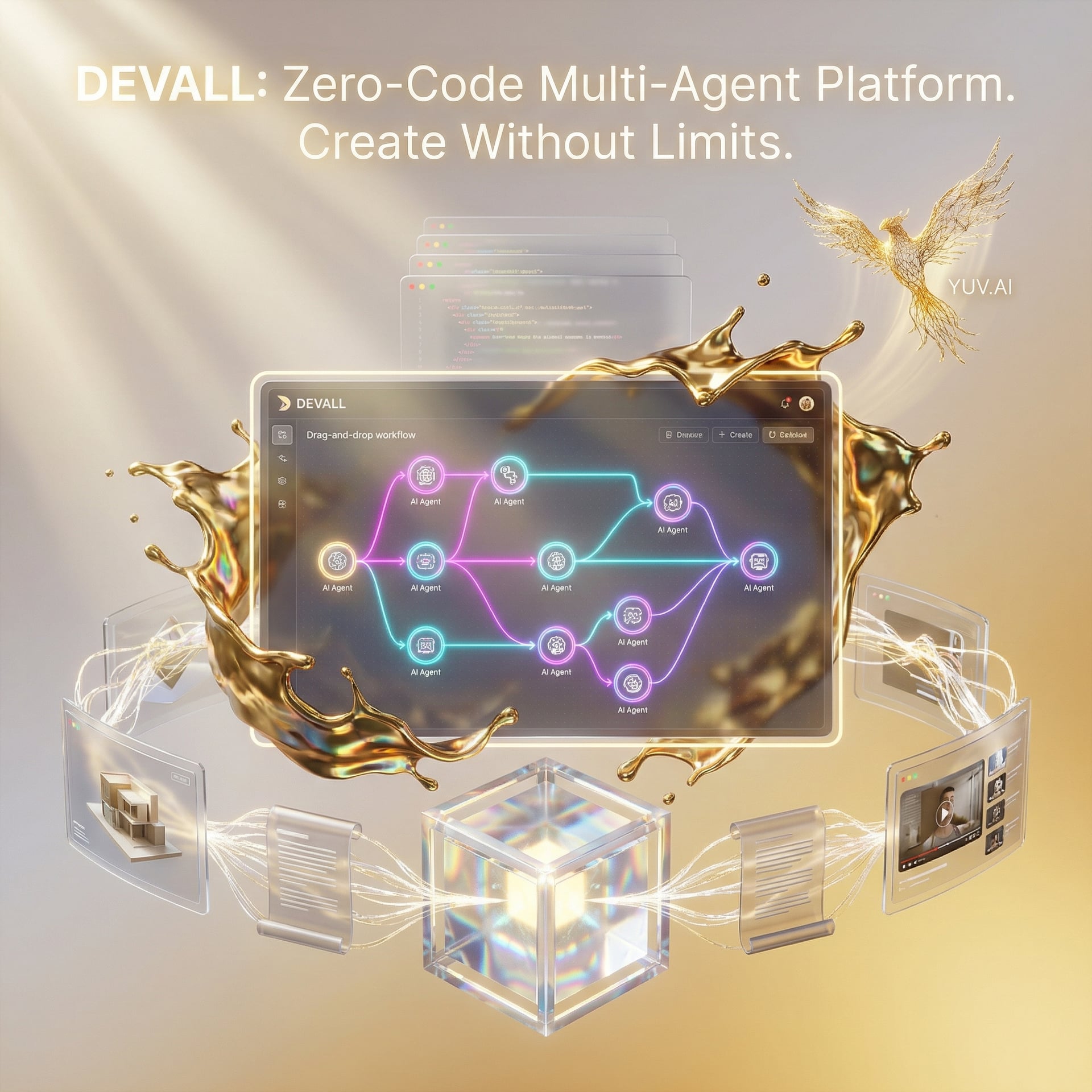
ChatDev 2.0 (now called 'DevAll') is a zero-code platform that lets us build and orchestrate multi-agent AI workflows through visual drag-and-drop design. Created by OpenBMB, it eliminates the need for writing orchestration code while supporting complex agent collaboration across domains like research, 3D modeling, and video teaching.
What is ChatDev 2.0 (DevAll)?
ChatDev 2.0, rebranded as 'DevAll', is a comprehensive zero-code orchestration platform that transforms how we build multi-agent AI systems. The project ChatDev solves the problem of complex agent orchestration that we all face when building sophisticated AI workflows - no more writing hundreds of lines of coordination code.
Unlike its predecessor which focused purely on software development, DevAll expands into multiple domains. We can now design research pipelines, 3D generation workflows, video teaching systems, and more - all through a visual interface that feels like connecting LEGO blocks.
The Problem We All Know
Anyone working with AI agents hits this wall: building multi-agent systems means writing massive amounts of orchestration code. We spend hours connecting agents, managing their communication protocols, debugging interaction flows, and handling edge cases. Every new workflow requires custom scaffolding.
The pain gets worse when non-technical stakeholders want to experiment with agent designs. Product managers have ideas for research workflows. Domain experts know how agents should collaborate in their field. But they can't implement these ideas without engineering resources, creating bottlenecks and dependency chains.
Existing frameworks like LangGraph and CrewAI provide powerful abstractions, but they still require coding skills. Even for experienced developers, simple changes mean code modifications, testing cycles, and redeployment. The iteration speed is too slow for rapid experimentation.
How ChatDev 2.0 (DevAll) Works
DevAll takes a fundamentally different approach: visual workflow design backed by sophisticated architecture. Think of it like Zapier or n8n, but specifically engineered for AI agent orchestration with deep understanding of agent collaboration patterns.
At its core, DevAll uses MacNet - Modular Agent Collaboration Network. This architecture supports DAGs (Directed Acyclic Graphs) - meaning agents can interact in complex branching paths without creating circular dependencies that lead to infinite loops. Each agent becomes a node in the graph, with edges representing data flow and communication channels.
The platform splits cleanly into two layers: a FastAPI backend handles the computational heavy lifting (agent execution, state management, API calls), while a Vue 3 frontend provides the drag-and-drop interface. This separation means we can scale the backend independently and even swap out the frontend if needed.
Quick Start
Here's how we get started with DevAll:
# Installation
pip install chatdev-devall

# Initialize the platform
from chatdev import DevAll

platform = DevAll(api_key="your_key")

# Load a pre-designed workflow
workflow = platform.load_workflow('research_pipeline')

# Execute with input data
result = workflow.run({
    "topic": "multi-agent systems",
    "depth": "comprehensive"
})
A Real Example: Building a Research Pipeline
Let's say we want to create a research workflow that gathers information, synthesizes findings, and generates a report:
from chatdev import DevAll, Agent

# Initialize platform
platform = DevAll()

# Create agents programmatically (or use visual designer)
researcher = Agent(
    name="Researcher",
    role="information_gathering",
    llm="gpt-4"
)

analyzer = Agent(
    name="Analyzer",
    role="synthesis",
    llm="claude-3-opus"
)

writer = Agent(
    name="Writer",
    role="report_generation",
    llm="gpt-4"
)

# Build workflow with DAG structure
workflow = platform.create_workflow("research_pipeline")
workflow.add_agent(researcher)
workflow.add_agent(analyzer)
workflow.add_agent(writer)

# Define dependencies (DAG edges)
workflow.connect(researcher, analyzer)  # Analyzer depends on Researcher
workflow.connect(analyzer, writer)      # Writer depends on Analyzer

# Execute
output = workflow.run(input_data={"research_topic": "AI safety"})
print(output.final_report)
Key Features
- Visual Workflow Designer - Drag-and-drop interface for building complex agent orchestrations. Think of it like drawing a flowchart, but each box is an intelligent agent with specific capabilities.
- MacNet Architecture with DAG Support - Modular collaboration network that prevents circular dependencies. Like a one-way street system for data flow, ensuring agents never get stuck in infinite loops.
- Multi-Domain Support - Not just software development anymore. We can build workflows for research, 3D modeling, video creation, data analysis, and more. Each domain gets specialized agent templates.
- Iterative Experience Refinement - Agents learn from previous executions and improve their collaboration patterns. Like a team that gets better at working together over time.
- Split Architecture (FastAPI + Vue 3) - Backend scales independently from frontend. We can run heavy agent workloads on powerful servers while keeping the UI responsive on any device.
- Python SDK for Power Users - When we need programmatic control beyond the visual interface, the SDK provides full access to the platform's capabilities.
When to Use DevAll vs. Alternatives
DevAll shines when we need rapid prototyping of multi-agent workflows without writing orchestration code. It's perfect for teams with mixed technical abilities - product managers can design workflows visually, then developers can fine-tune with the Python SDK.
For pure code-first development, frameworks like LangGraph or CrewAI might offer more flexibility. LangGraph gives us fine-grained control over state machines and agent interactions. CrewAI focuses on role-based agent collaboration with strong opinionated patterns.
Choose DevAll when: - We need non-technical team members to design agent workflows - Rapid iteration speed is critical (visual changes vs. code changes) - We're working across multiple domains (research + 3D + video) - We want the option to switch between visual and programmatic control
Choose alternatives when: - We need maximum control over every aspect of agent interaction (LangGraph) - Our use case fits strongly opinionated patterns (CrewAI) - We're building a production system where code review is mandatory
My Take - Will I Use This?
In my view, DevAll represents a significant step toward democratizing multi-agent development. The zero-code approach removes barriers for domain experts who understand agent collaboration patterns but lack programming skills.
I'm particularly excited about the Iterative Experience Refinement feature. The idea that agents learn from previous runs and improve their collaboration feels like a missing piece in current agent frameworks. Most systems treat each execution as isolated - DevAll builds institutional memory.
The trade-off is clear: we sacrifice some control for simplicity. Power users who want to control every aspect of agent state machines might find the visual interface limiting. However, the Python SDK bridges this gap nicely - we can design quickly in the UI, then drop into code for fine-tuning.
My main concern is scalability at enterprise level. The documentation doesn't detail how DevAll handles workflows with dozens of agents or massive data throughput. For small to medium complexity workflows, this looks excellent. For massive-scale production systems, we'd need more information about performance characteristics.
Bottom line: I'll absolutely experiment with DevAll for research pipeline automation and content generation workflows. The visual interface alone will save hours of orchestration code writing. Check out the repo: ChatDev on GitHub
Frequently Asked Questions
What is ChatDev 2.0 (DevAll)?
ChatDev 2.0, now called DevAll, is a zero-code platform by OpenBMB that lets us build and orchestrate multi-agent AI workflows through visual drag-and-drop design without writing orchestration code.
Who created ChatDev 2.0?
ChatDev 2.0 was created by OpenBMB, an open-source organization focused on building comprehensive AI infrastructure and tools for developers and researchers.
When should we use DevAll?
Use DevAll when we need to rapidly prototype multi-agent workflows, when non-technical team members need to design agent collaboration, or when working across multiple domains like research, 3D modeling, and video creation.
What are the alternatives to DevAll?
Alternatives include LangGraph (for fine-grained control over agent state machines), CrewAI (for role-based agent collaboration with opinionated patterns), and AutoGen (for conversational agent frameworks). DevAll differentiates through its zero-code visual interface.
What are the limitations of DevAll?
The visual interface may feel restrictive for highly customized scenarios where we need control over every aspect of agent interaction. The platform is also relatively new, so enterprise-scale performance characteristics aren't fully documented yet.